01
Confirm compatibility.
Match the truck, cable, hardware, and mobile device. Check the specific ELD model and software version on the current FMCSA list.
Hardware, driver software, and the fleet office work together. Here’s how the connection is made.
The PT30 captures engine information through the vehicle connection. The right diagnostic cable matters: confirm your truck’s year, make, model, and port before ordering.
Check the hardware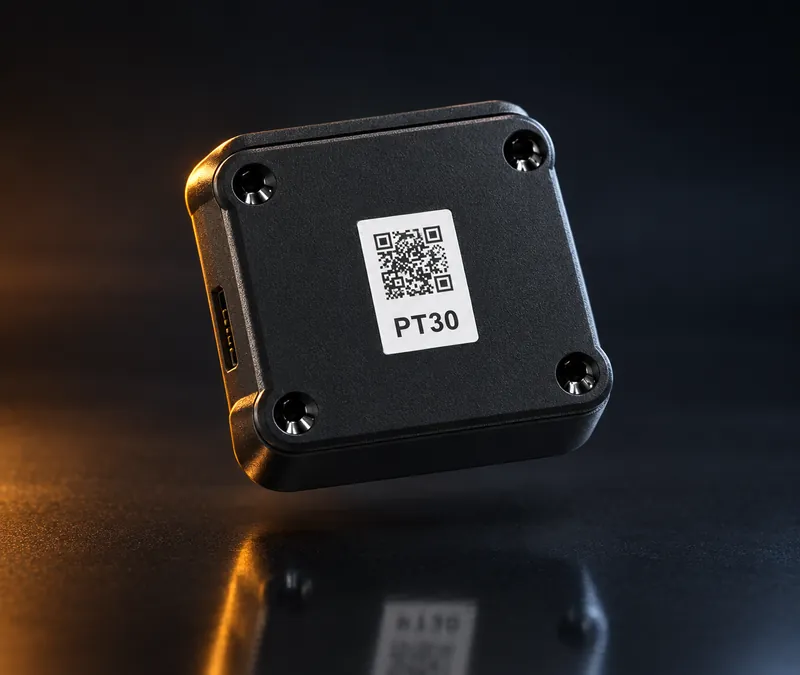
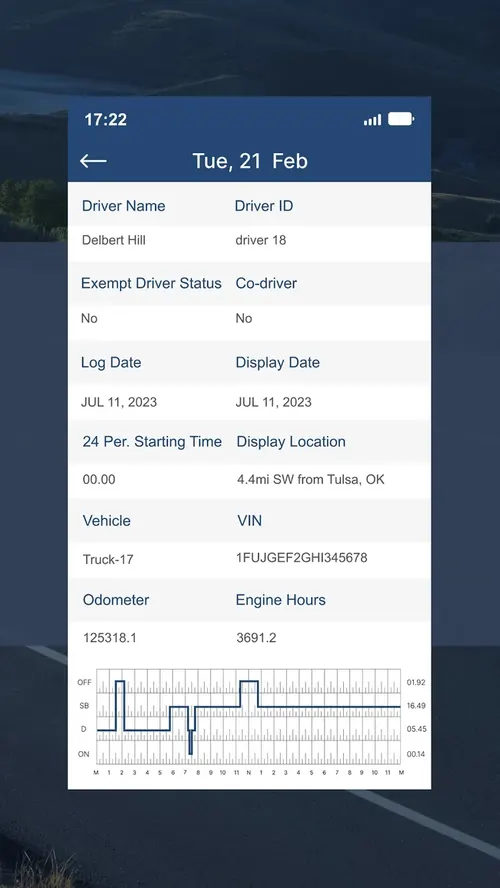
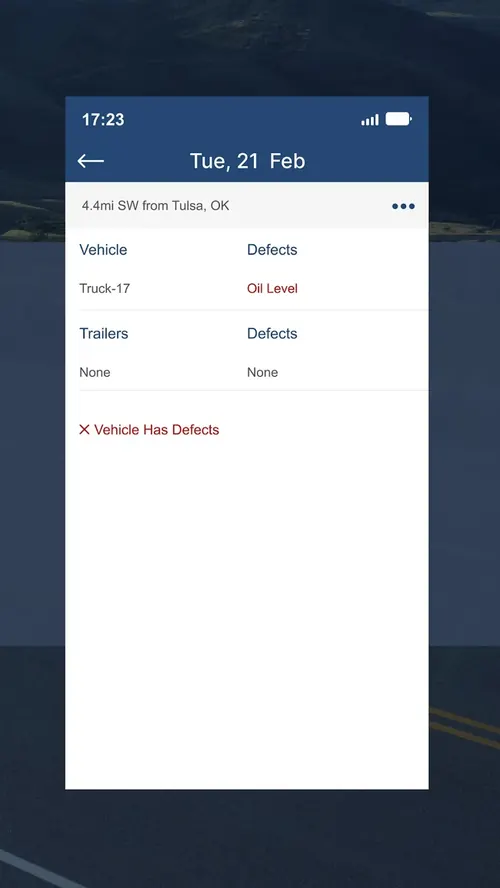
Engine information supports the logging workflow. The driver still reviews the record, selects appropriate duty statuses, completes inspections, and certifies logs.
Use the approved app and hardware configuration supplied for your account.
Explore the appThe mobile connection supports synchronization with fleet tools. Network availability affects when information reaches the office.

Fleet operations / Workflow preview
Illustrative UI · Sample dataFleet overview
Sample snapshot · 09:41 ET| UNIT / DRIVER | DUTY STATUS | 11-HOUR DRIVING | RECORDS |
|---|---|---|---|
| 1315 / Driver 01 | Driving | 05h 40m remaining | Daily log reviewed |
| 1428 / Driver 02 | Driving | 07h 15m remaining | Uncertified prior log |
| 1532 / Driver 03 | On duty | 09h 00m remaining | DVIR follow-up |
| 1640 / Driver 04 | Off duty | 04h 30m remaining | Daily log reviewed |
Showing all 4 sample vehicles.
A complete setup includes your people and your process.
Match the truck, cable, hardware, and mobile device. Check the specific ELD model and software version on the current FMCSA list.
Verify the app’s vehicle connection and records before operating. Learn what connection and diagnostic indicators mean.
Review logs, certifications, inspections, and the roadside process with your team. Follow your carrier’s procedures if a malfunction occurs.
Tell us about your trucks. We’ll help you find the right setup.